Technical guide · every claim tied to the paper or README
The architecture: one latent backbone, two command surfaces
MotionBricks is a modular latent generative backbone — a VQVAE motion tokenizer, a pose model and a root model — exposed through smart primitives: velocity, heading and style commands for locomotion, proxy keyframes for object interaction. This page maps the pieces to the files you will see after setup.
The modular latent backbone
Instead of one monolithic network, the release trains three components whose checkpoints ship in out/ — and whose training scripts mirror the split one-for-one (see the training guide):
1 · VQVAE motion tokenizer
Compresses motion into discrete latent codes. The other two components work in that latent space, and scripts/train_vqvae.py trains it first — the pose model needs its checkpoint.
2 · Pose model
Generates the body-pose side of motion in the tokenizer's latent space, driven by the smart-primitive commands. Checkpoint directory: out/motionbricks_pose/.
3 · Root model
Generates the root trajectory — where the body goes and how fast. Per the README comment it trains without the VQVAE, so root and pose decompose the task cleanly. Checkpoint directory: out/motionbricks_root/.
The payoff of a single backbone over the whole corpus is the number on the project page: one model covering 350,000+ motion clips at 15,000 FPS with 2 ms latency — not a library of per-skill systems.
| Checkpoint file | Size |
|---|---|
out/G1-clip.ckpt | ~7.5 MB |
out/motionbricks_vqvae/version_1/checkpoints/*.ckpt | ~273 MB |
out/motionbricks_pose/version_1/checkpoints/*.ckpt | ~1.6 GB |
out/motionbricks_root/version_1/checkpoints/*.ckpt | ~391 MB |
Honest scope note: the README names the three model components and their file layout but does not spell out the role of out/G1-clip.ckpt beyond shipping it with the release; the paper's method sections are the authority on internals. This page claims nothing beyond what the official materials state.
Smart primitives: the command surface
The backbone is large-scale; the interface is small. Two primitive families cover navigation and interaction, described on the project page as "a unified, robust, and intuitive interface for authoring both navigation and object interaction":
Smart locomotion — velocity + heading + style
You command three things: how fast, which way, and in what style. The project page: the primitive composes "natural motions from arbitrary velocity, heading, and style commands, with no retraining or per-task tuning." The 11 demo style keys are all this interface — see the style library.
Smart objects — proxy keyframes
Scene interaction is specified as "a flexible set of proxy keyframes; the backbone fills in the approach, contact, and follow-through — with natural variation across runs" (project page). The README gallery shows pickup, falling, jumping a bench and sitting.

Zero-shot: new tasks without retraining
The paper's scalability claim is stated plainly on the project page: "MotionBricks applies to new downstream tasks in a zero-shot manner — no fine-tuning or task-specific tagging required — so applications can be assembled in a plug-and-play manner like stacking bricks, without expert animation knowledge." A new combination of commands is not a new training run; the same backbone answers it. That is what "assembling motion like bricks" means in practice.
What disappears from the animation pipeline
The official 2:40 uncut UE5 demo is the evidence, and the project page states its recipe exactly: "Every motion is generated by neural networks — no foot-locking, no blending, no collision detection, no hand-authored transitions." Each of those is a whole category of traditional animation-graph work:
- No foot-locking — contacts come out of the generated motion itself rather than IK patches.
- No blending — no blend spaces or weighted clip mixes between animations.
- No collision detection — object contact is generated, not resolved by physics checks.
- No hand-authored transitions — no transition graph to wire and maintain; runtime transitions are continuous, as the Idle · Walk · Jog · Run gallery GIF shows.
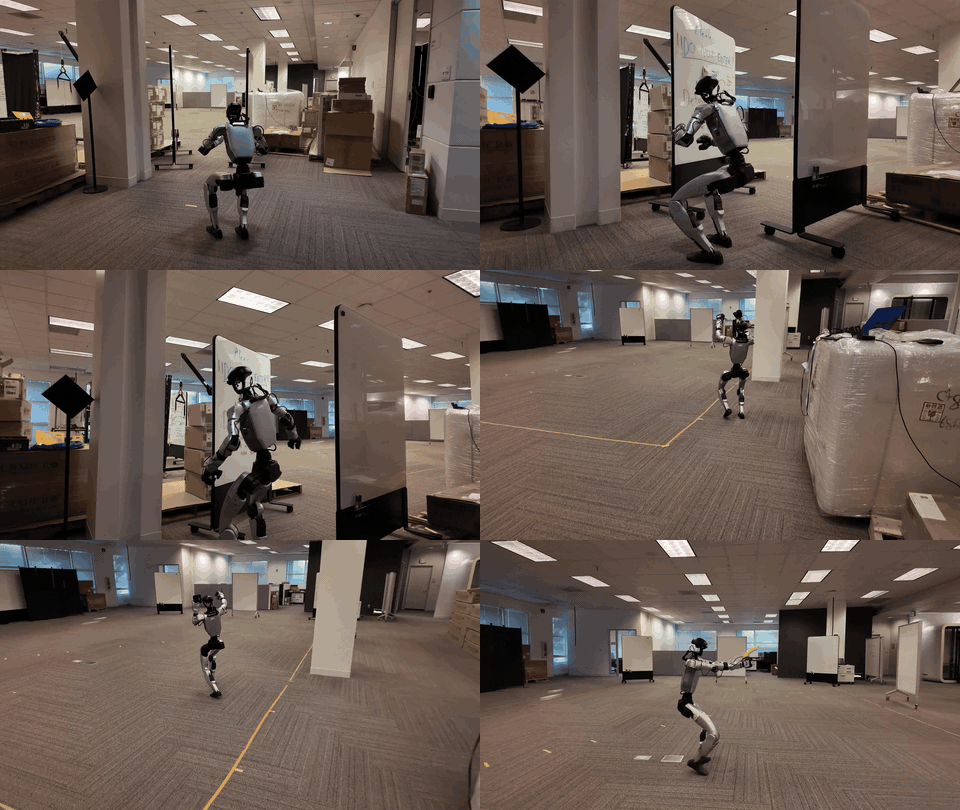
For what that unlocks in Unreal workflows, see the UE5 integration page; the robotics-side neighbour of this design is GEAR-SONIC.
Where the training data comes from
The corpus is the BONES-SEED dataset, described in the README as "350k production-grade mocap clips from real human actors and actresses" (Hugging Face dataset page). The per-source breakdown of the "350,000 clips vs 15,000 FPS" claim — including the 142,220 retargeted G1 trajectories and ~288 hours figure — is laid out on the official assets page.
The robot-ready trajectories are produced by the SOMA Retargeter, "the Newton-based solver that retargets SOMA capture onto the G1" (README) — see NVIDIA/soma-retargeter. SOMA capture becomes G1 MuJoCo trajectories, and that is what the backbone learns from; the motion-feature format itself is documented in the official motion representation docs.
Next steps
Training guide
The three training commands verbatim, synthetic-data defaults, real dataset downloads and custom-data docs.
Style library
All 11 style keybinds with the official GIF per family, and the honest limits.
Setup guide
Clone with Git LFS, fetch the ~2.2 GB checkpoints, avoid the 1 KB pointer trap.
Official assets
Every dataset, checkpoint and doc with its source link and the number-correction notes.